Top 8 AI Image Generators in 2026 (Compared)
October 17, 2026 · AI Mind Rush
Some links below are affiliate links: if you buy through them we may earn a commission at no extra cost to you. It never changes our picks.
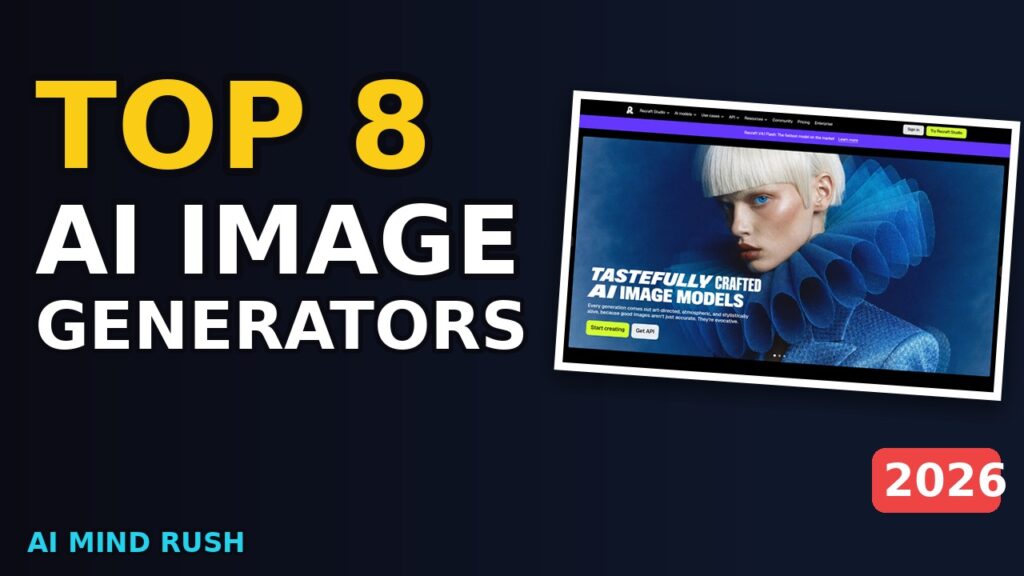
Need to quickly create visuals for your project, but don't have the time or budget for a designer? You'll want to check out these AI image generators, and we're going to walk through eight of them, showing you their actual websites along the way , just be aware some still struggle with complex prompts.
Quick picks
1. Krea
Krea is a really interesting suite of creative AI tools, and it's gaining traction. It's designed to help people generate, enhance, and edit images, videos, and even 3D meshes , and there's a free plan to get you started without needing a credit card. What's really cool is that it brings together a bunch of different generative models, including Ideogram, Runway, and Luma, all in one place.
You can create images from text, or even generate videos based on what you type. They've got something called Seedance 2.5, and Krea 2 is their latest in-house model. If you're interested in animation, the "Animate image" feature lets you bring still pictures to life.
There's also an AI Image Editor for more detailed tweaks. It's aimed at both pros and beginners , so, whether you're a seasoned creative or just starting out, you'll find something useful. You can also fine-tune your own models, though there's a limit of 50 image LoRA training.
For those of us who want to iterate quickly, you can even generate images in real-time as you type or draw. This week, try using it to create a visual for a presentation you're giving , a simple "Advertisement shot of a sandwich vertically exploding into different layers" could be a fun and memorable way to grab people's attention.
Read our full Krea overview, pricing and alternatives
2. Black Forest Labs (FLUX)
One of the most interesting AI image generators arriving in 2026 is from Black Forest Labs. They're focused on giving you total control over every pixel in your images. It's called FLUX 3 Image, and they also have FLUX 3 Video and a range of video tools.
What makes FLUX stand out is their flexible pricing. You only pay for what you generate, with no subscriptions or seat fees. This makes it great for smaller projects or anyone who doesn't want to commit to a recurring cost.
They also offer an API and open weights to build upon. FLUX allows both text-to-image and image-to-image generation. You can use reference images, whether you supply them or the model finds them, without additional charges.
Just be aware that delivered dimensions may differ slightly from the nominal size, as they're rounded to multiples of 16. If you're working on a presentation or need a custom visual for social media, try generating a few different images this week using FLUX. It's a simple way to quickly experiment with different ideas.
Read our full Black Forest Labs (FLUX) overview, pricing and alternatives
3. Midjourney
AI is increasingly moving into everyday communication. One tool making that happen are AI agents, and Anthropic is developing them. These agents are designed to exist within your text messages, offering support and automating tasks.
The aim is for them to feel integrated into your daily life, yet Anthropic admits they can't reliably control these agents, so they've stopped internal evaluations that connect directly to the live internet. That's a significant step; it shows a commitment to responsible development. Anthropic is also working on personalized podcast technology, licensing tech from startups like Huxe and hiring a team to support it.
While the specific features of Anthropic's AI agents aren't detailed, you'll find similar functionality with other AI agents. These agents are suited to those wanting automated support in messaging, and they're part of a broader trend within the AI space. This week, you might try using an AI agent to summarise lengthy text threads or automatically respond to common inquiries you receive through messages, freeing up your time for more important matters.
Microsoft leadership thinks that AI models are compromised, so the limits of these tools.
Read our full Midjourney overview, pricing and alternatives
4. Stability AI
Stability AI offers a really interesting suite of tools, and they've seen some big developments recently. They've built models for audio, image, video, and even 3D creation, all designed to be commercially-safe. You'll find their audio toolkit particularly useful, especially with the new way to work using Stable Audio.
Their models are built for artistic experimentation, and they've got a 3.0 version now that's all about that. You can use their Brand Studio, which is a fully managed platform, or integrate their tools through their API. They also offer a Cloud Service for more customization.
Think about this week: if you're working on a marketing campaign, you could generate high-quality, on-brand images directly within Stability AI. They've recently partnered with Electronic Arts and Universal Music Group, so you'll see their tools integrated into the creation process for game developers and musicians. One thing to keep in mind is that they are still evolving, so there's a focus on safety and control , they're cutting off evaluations from the live internet to address that.
Read our full Stability AI overview, pricing and alternatives
5. Playground
This design studio really aims to put creative power in everyone's hands, regardless of their experience. It lets you turn any idea into stickers, merch, or even posters , pretty much anything you can imagine. You start by describing what you want, and the AI does the rest, handling things like color and layout.
They've built in some impressive tools, including GPT Image 2, Nano Banana Pro, and Seedream, allowing for a variety of creative approaches. GPT Image 2, specifically, is the wordsmith, designed for producing text and layouts that feel deliberately designed. The platform offers thousands of templates across twenty-four categories to customize.
It's geared towards both casual creators and serious professionals, with a free plan available for exploring and casual creation, though it does have limitations, like a slower generation during peak hours and a restriction on how many images you can create within a three-hour period. The Pro and Pro Plus options offer faster generation and more access. If you're wanting to create something for this week, consider designing a mobile wallpaper.
It's easy, and you'll have a print-ready design in days.
Read our full Playground overview, pricing and alternatives
6. Leonardo AI
AI's making waves everywhere, and we're seeing some really interesting tools emerge. This one's useful for generating images, and it's caught my eye. It seems to be quite popular among folks experimenting with AI agents that live right in your text messages.
That's a pretty unique feature, honestly. You'll find it has some specific functions, like the ability to create images that can be used in various projects. It's aimed at people wanting more personalized AI experiences.
While it's developing quickly, it currently can't reliably control its AI agents. That's a limitation, but they are actively working on that. Anthropic, who make it, have taken steps to address that , they've disconnected their internal evaluations from the live internet.
It's a proactive measure to improve safety and control. It's interesting to see how these AI developers are responding to the concerns around AI model compromise. For a quick project this week, why not try using it to create a visual representation of an idea you're working on?
It's easy to get started.
Read our full Leonardo AI overview, pricing and alternatives
7. Recraft
Recraft Studio is an image generator that really focuses on aesthetics. Unlike some others, it doesn't just give you an image; it aims for a carefully crafted, art-directed result. They've developed what they call Recraft V4.1 Flash, which they're highlighting as the fastest model on the market.
What's unique is their unmatched vector generation. You can create images directly in vector format, which is something other AI tools don't offer. This lets you create design-ready typography and complex, editable graphics.
They've also built in a system for custom styles. It's really easy, you simply drop in your own images, and Recraft instantly turns them into reusable styles. That's a great option if you're looking to maintain a consistent look.
There's a free plan available, which lets you explore their features at a basic level. However, be aware that it limits you to three generations per style per day, and all images created are public, so you can't use them for commercial purposes. This week, why don't you try experimenting with creating a custom style using your own photos?
You'll find that's really straightforward, and it's a simple way to see what Recraft can do.
Read our full Recraft overview, pricing and alternatives
8. Adobe Firefly
Adobe's offering is interesting, particularly as AI image generation matures. You'll find a few different tiers to choose from, starting with a free plan designed just for getting started. Then there's Firefly Pro, which provides unlimited generations on select image models like Nano Banana 2 and Flux 2 Pro.
If you're looking to create at scale, the Firefly Pro Plus plan is recommended. It includes all the features of Pro, plus Adobe Express Premium and Photoshop. They've included features like Boards and a Video editor, too.
One limitation to keep in mind is that the free plan is for getting started; it's not unlimited. It's great for experimenting, but if you want frictionless image generation, one of the paid tiers will be a better fit. This week, try using Firefly's Boards feature to organize inspiration for a design project, or experiment with different Flux models to see what style best matches your vision.
Read our full Adobe Firefly overview, pricing and alternatives
The bottom line
That is the list. If this helped, hit the like button and subscribe, so you catch the next breakdown. And tell me in the comments which of these you already use.
🎁 Get the FREE AI Tools Cheat Sheet
117 free & cheap AI tools sorted by job, plus the best new ones in a 3-minute email.
Compare every tool in this category
This post may contain affiliate links. We may earn a commission at no extra cost to you. Learn more
Get the AI Mind Rush weekly
New AI tools + the week's AI news in 3 minutes. Free cheat sheet when you join.